Translate
An internal translation tool I designed for my company that supports text, voice, and image translation.
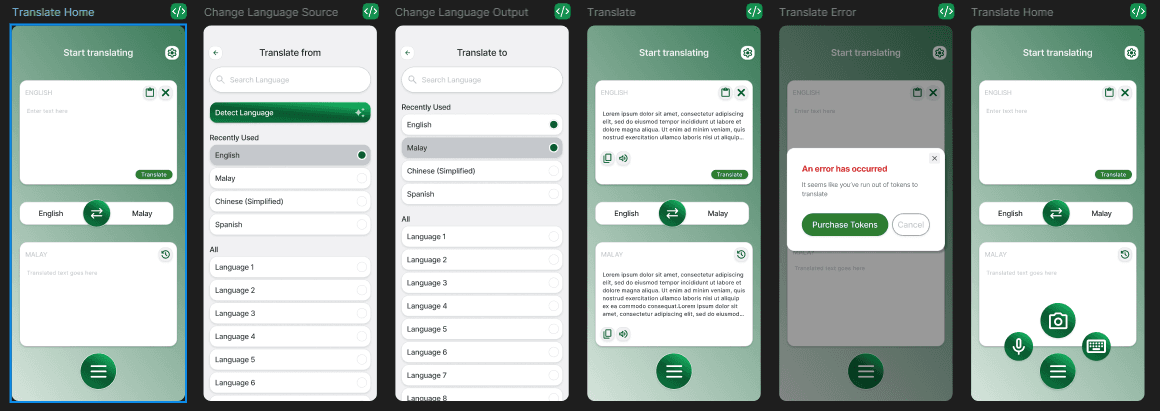
Text translation, start to finish
The core flow handles the most common case: pick source and target language, type or paste text, translate. The Malaysia and Laos teams needed this to be fast enough to use mid-conversation, so language selection surfaces recently-used pairs first and the result is immediately actionable (copy, share, audio playback).
Voice & image translation
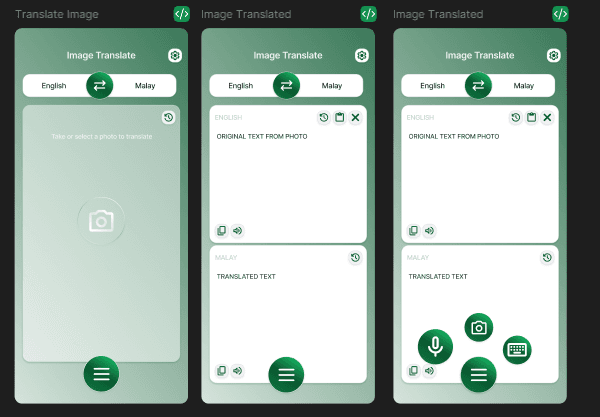
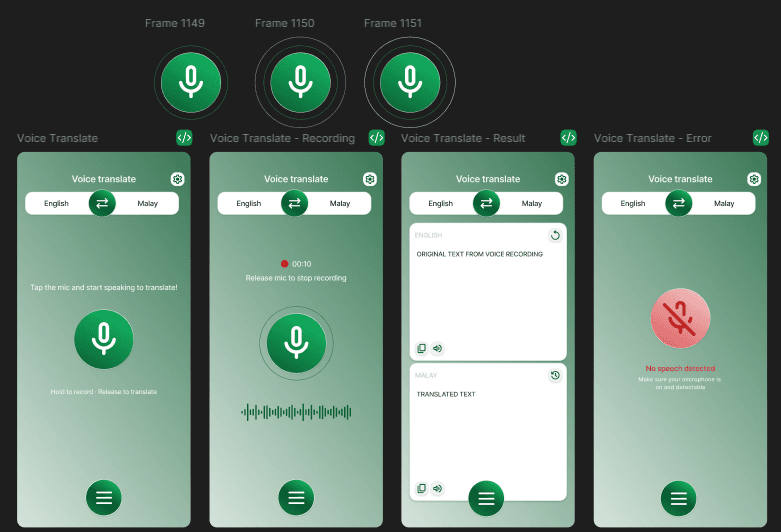
The team also needed to translate physical documents and have quick spoken exchanges as typing wasn't always practical. The design challenge was making document, image, and voice translation feel like one product rather than three separate tools.
History and Settings
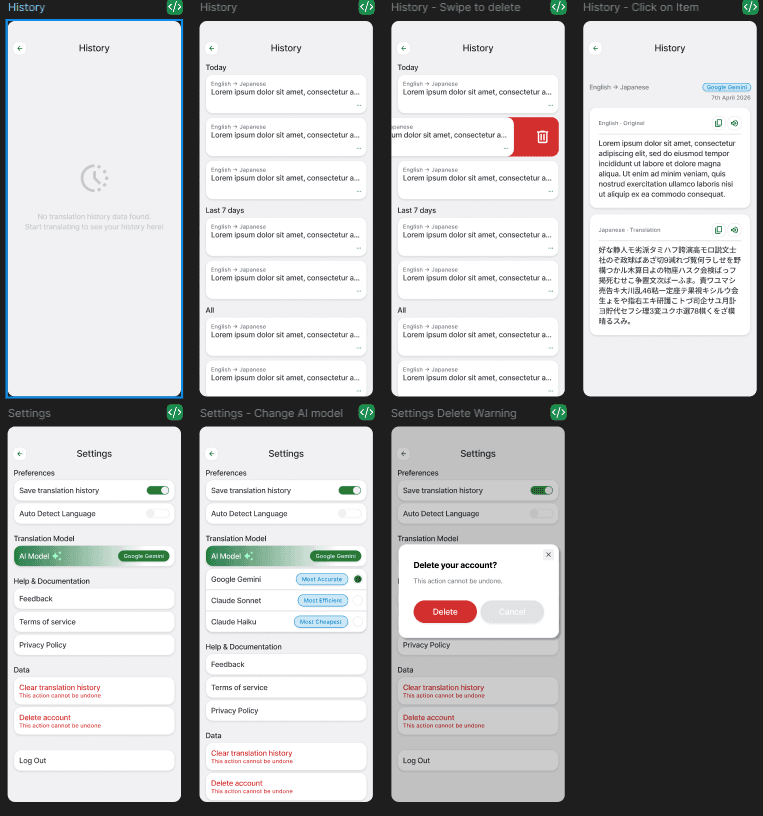
Translation history needed to work across all input modes without getting confusing. I kept the entry format consistent so the same gestures worked regardless of translation type. For model selection, I kept the options simple with just enough context for someone to make a choice without needing to know what a model actually is.
The states people forget
Designing the core flows was the obvious part. These are the states that needed more thought.
Empty History
First-time users landing here have no history yet. The empty state gives them context on what the screen does and a direct path into their first translation.
Swipe to Delete
Translation history builds up fast. Swipe to delete lets users clear entries quickly without needing a separate management screen.
Token Limit Error
Running out of tokens mid-use is a frustrating moment. The error tells users exactly what happened and gives them a direct path to get more.
Account Deletion
Deleting an account can't be undone. The confirmation screen makes the consequences clear before anything is removed.